 MileCheck
Your mile marker.
Your nearest highway mile marker, shown to a tenth of a mile. The data is stored on your phone, so it works with no signal. All 50 states, plus kilometre markers in 10 Canadian provinces and territories. Always free.
WEB · iOS · ANDROID
Check DOT reports and highway cameras. Find your nearest mile marker on the web or in the app.
Now on CarPlay & Android Auto
Live on the Geotab Marketplace · AWS Partner Network member
Built on the same data as the app, free to use. Plus guides to the road itself.
Browse the mile markers of any highway in all 50 states.
● LiveHighway closures reported by state DOT feeds, all 50 states.
● LiveLive DOT cameras in 43 states.
● 13 passesSnoqualmie, Donner, the Grapevine, Siskiyou, Cajon.
● All mapsDrawbridges, ferries, border waits and the rest.
interstate corridors · cameras by state · US wildfire map · mile marker map · what is my mile marker · what to tell 911 when you break down · highway tips for new CDL drivers · tips for new snowplow drivers · tips for new tow truck drivers · what “chains required” means · runaway truck ramps · what is 511 · how to check road conditions · sand vs salt vs brine · all highway guides
Your nearest highway mile marker, shown to a tenth of a mile. The data is stored on your phone, so it works with no signal. All 50 states, plus kilometre markers in 10 Canadian provinces and territories. Always free.
Closures, crashes, chain controls and construction from official state feeds, on a live map, with DOT cameras where states publish them.
Plan a corridor to filter road alerts for your route and see an estimated arrival time. Border waits, Seattle drawbridges and crosswind warnings are in there too.
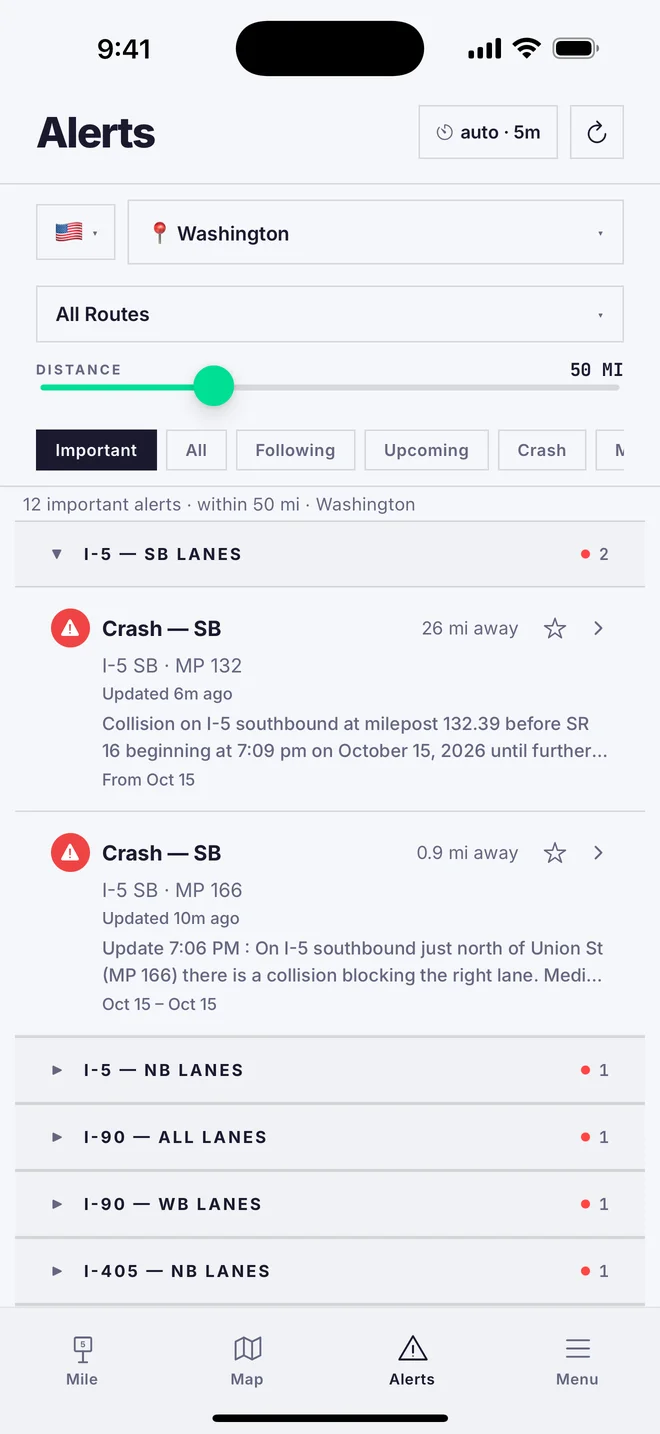
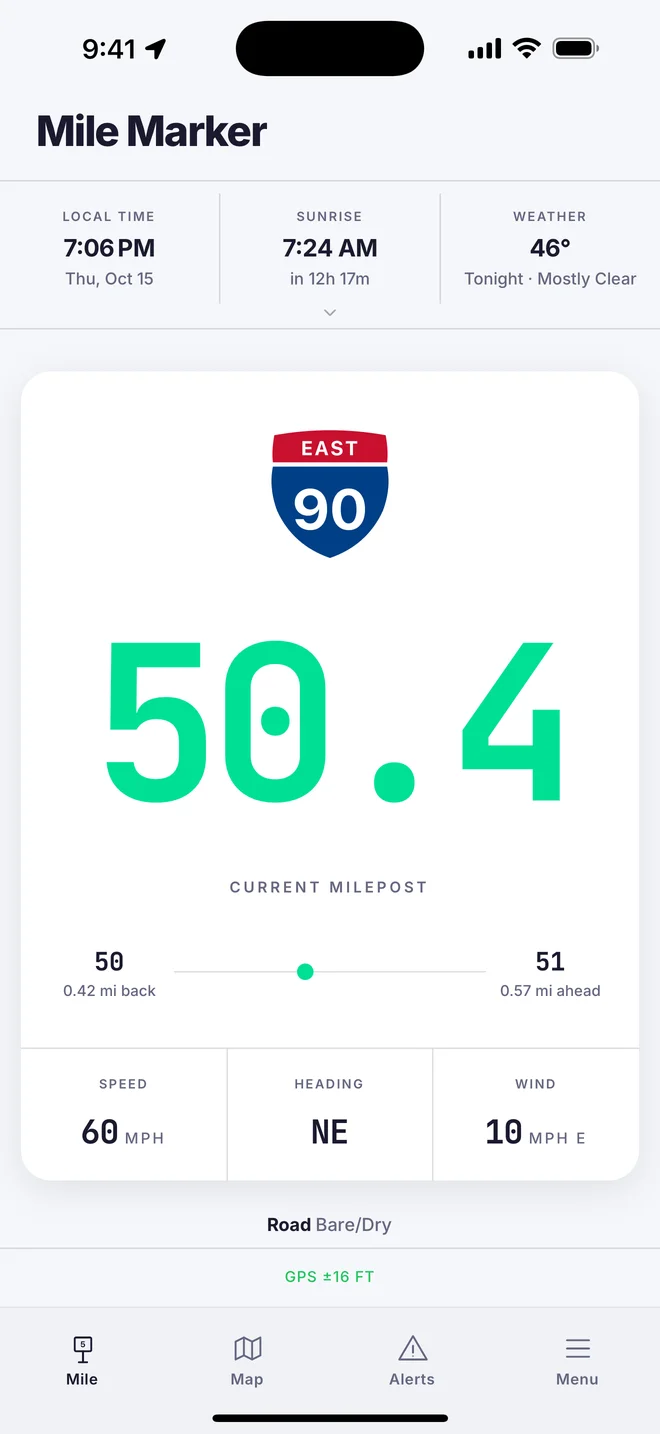
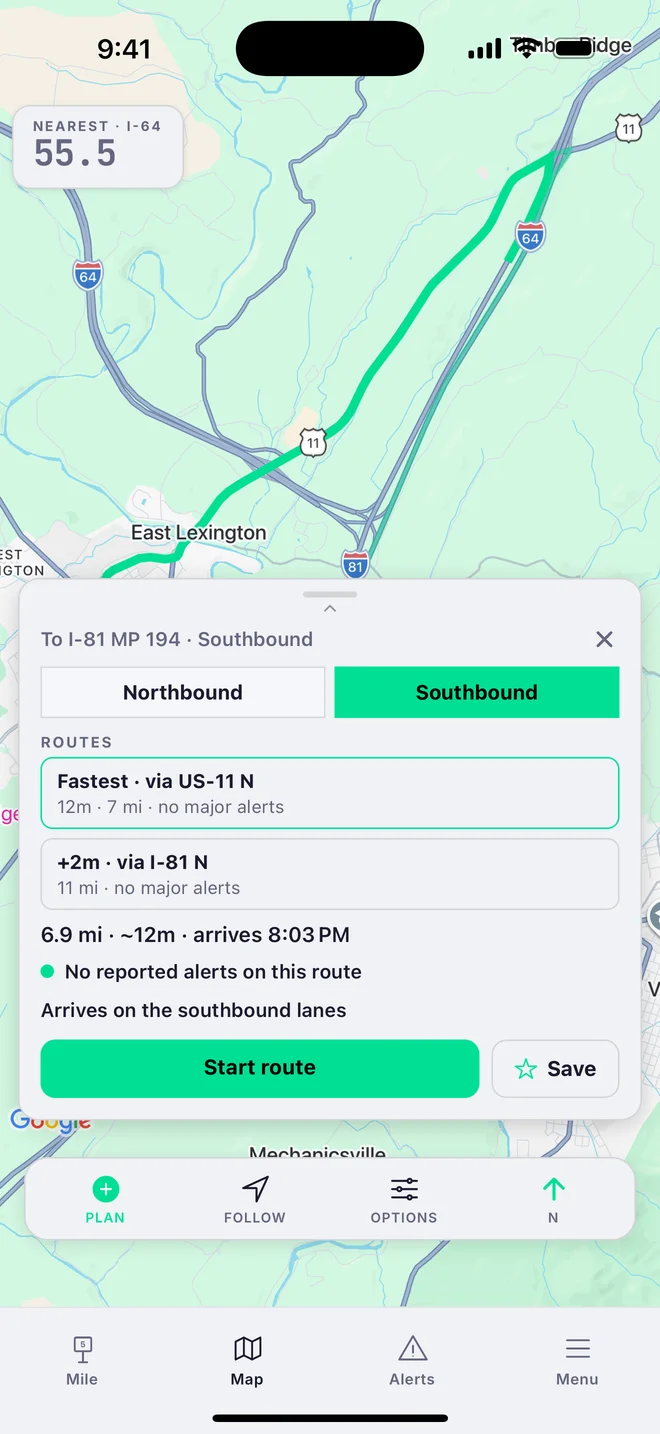
Free also covers offline use in all 50 states, plus CarPlay and Android Auto. Premium adds the live map, state DOT feeds on your route, route planning and trip tools. 2-week free trial, cancel anytime. Early subscribers keep their price.
MileCheck shows road conditions from official state feeds across all 50 states. It also shows your nearest highway mile marker, live.
New to mile markers? Mile markers vs. GPS — why both still matter →
Mile markers in all 50 states, plus kilometre markers on supported highways in 10 Canadian provinces and territories. Live state DOT feeds in all 50 states. Road conditions for British Columbia, Alberta and Manitoba are on the website.
Yes — mile markers are stored on your phone, so they work in dead zones. Live alerts need a connection.
Your current mile marker is always free. Premium costs $19.99/yr or $4.99/mo and includes a 2-week free trial. It adds the live map, state DOT feeds and trip tools.
Yes, both — and the car screen is free. It’s deliberately simple right now: your highway, mile marker, and current road conditions, glance-and-go. Just the one thing you need while driving, with no clutter. A richer car screen is on the way.
No sign-up, no email, no phone number — just open it and drive. Your mile marker is found on your device, not a server, so where you are never gets sent anywhere just to show you a mile marker. Trips you log stay on your device too — export or delete them any time from the Trips tab. Background tracking while your phone is locked is off by default and only turns on if you enable it. MileCheck has no ad network and doesn’t sell personal data. Read the full privacy policy →
Yes. The 50-state milepost corpus and the live 50-state DOT feed layer are available to license — one schema, one API, no state-by-state agency negotiations on your side. Fleets on Geotab can add MileCheck today from the Geotab Marketplace. For API access or fleet licensing, email info@milecheckapp.com — details on the B2B page.
Contact us about embedding maps or republishing data: info@milecheckapp.com. Newsrooms and public-interest sites can ask to cite the data with credit and a link. Commercial use of the data or maps requires a license.
One normalized layer under the app and the website. 50 state DOT feeds in 19 source formats, one schema. AWS Partner Network member.
Dispatch and fleets report location by mile marker. Get the milepost data as a file you keep, or connect to the live road feeds. Geotab fleets can use the MileCheck Add-In.
→ ● VenuesShow road conditions for your highway on a TV with a browser. Include cameras and weather where available.
→ ● SponsorsSponsor the monthly Highway Report, sent by email. One sponsor per issue.
→ ● PressContact us about embedding maps or republishing data. Commercial use requires a license.
→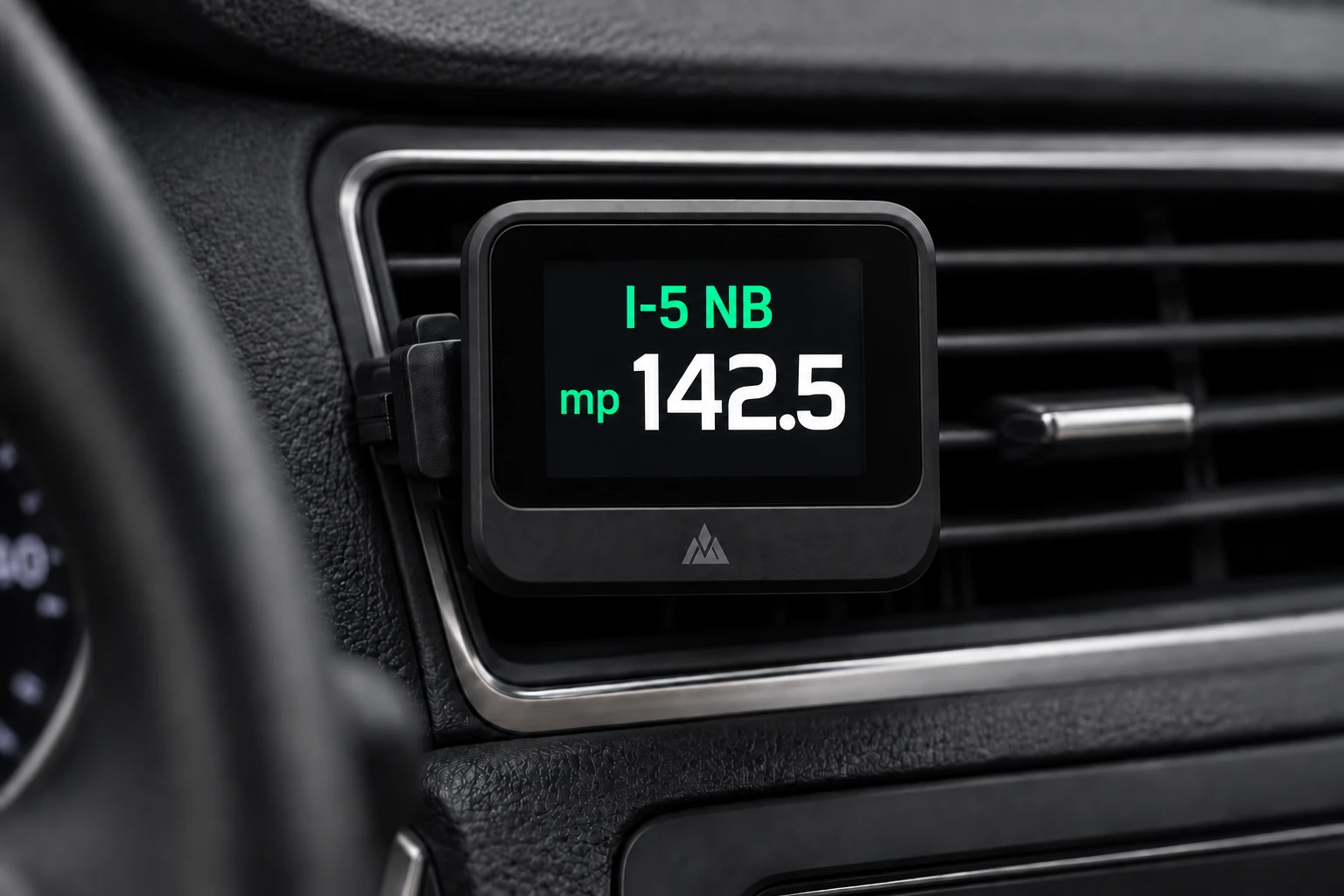
A compact vent-mount display showing the highway and mile marker you’re passing, no phone screen needed. First prototypes are in development now. We need sign-ups to get the funding to make it real.
SIGN UP →
Roy is MileCheck’s road-crew foreman — named for the dad who first showed me that on a highway, everything comes back to the mile marker.
He works nights, distrusts unmarked detours, and takes road conditions personally. Every so often he drops by with a reminder: check the cameras before the pass, know your mile marker before you need it, turn on fire alerts for your area.
Reminders from Roy · on our Instagram →My dad took a seasonal job driving snowplows for ODOT. Before long I realized how much of that job revolves around mile markers — radio calls, crash reports, and closures. They’re how crews track where sand, salt, and brine have been applied, and how dispatchers coordinate a response.
If you call for help on a mountain highway, how do you tell anyone exactly where you are? That’s what mile markers are for. Most drivers pass hundreds of them without a second thought. But the people who keep roads open, respond to emergencies, and help stranded motorists rely on them every day.
There was one app for this, but it only worked on iPhone. My dad uses Android. So I built him a web app that showed his nearest Oregon mile marker from GPS. My mom, my sister, and I spent hours driving highways and back roads, checking numbers, making adjustments. I still remember the first time the number changed at exactly the right moment.
My dad showed it to coworkers. They showed it to others. Feedback came from truck drivers, road crews, first responders, and everyday drivers. Nearly every feature in MileCheck exists because someone on a real road asked for it.
What started as a simple tool for my dad turned out to be useful for a lot of other people, too.
Become the trusted source for road information across North America, from today’s closures to next season’s roadwork.
We put every state’s Department of Transportation data in one place, on your phone, in your car and in your browser.
You can read more in our privacy policy.

Find your milepost free — it’s the first thing dispatch asks for.
GET THE APP →The Monthly Highway Report
Your state's reported closures, crashes and roadwork, once a month by email. See the September report. No spam.
Free to find your milepost. Premium comes with a 2-week free trial.
DOWNLOAD ON THE APP STORE GET IT ON GOOGLE PLAY